Google’s in-car software is getting its most significant overhaul since the “Coolwalk” layout split screens a few years ago. Fresh off the announcements from the recent Android Show, I spent some quality time behind the wheel to see what the massive Android Auto redesign feels like in real-world driving conditions.
The verdict? Google is moving away from basic, static car layouts. Instead, this generation brings the fluid, highly personal Material 3 Expressive UI directly onto your car’s dashboard, backed up by a deeply integrated version of Gemini AI that makes the old Google Assistant feel incredibly outdated.
The Aesthetic Shift: Material 3 Expressive Design and Flexible Widgets
The moment you plug your phone in, the design changes are immediately apparent. The platform ditches flat, boring system grids in favor of the signature look and feel of modern Pixel and Android smartphones.
Modular Widget Control
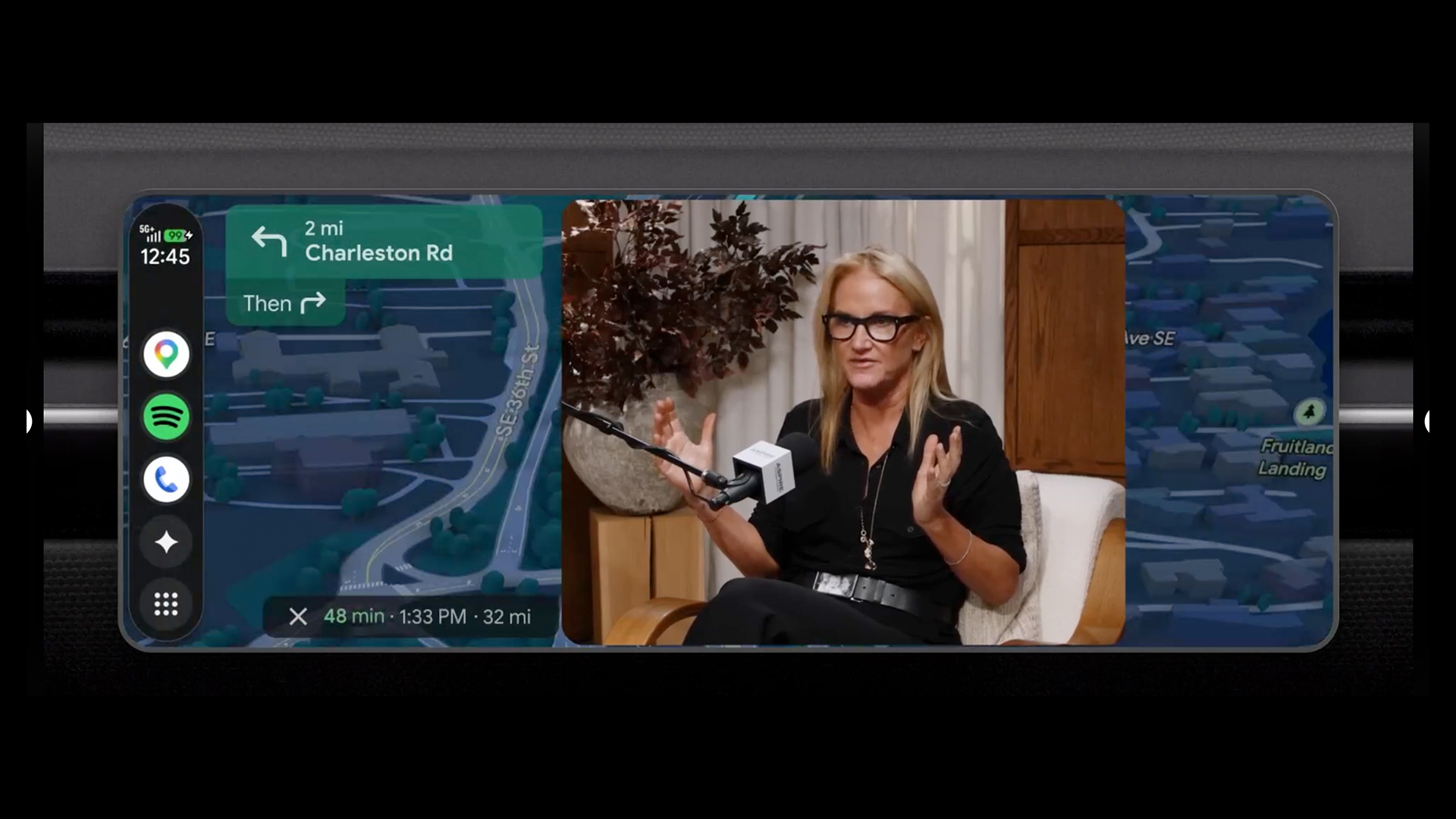
The standout upgrade to the daily driving dashboard is the arrival of interactive, glancable widgets. Rather than forcing a split-screen layout where apps take up pre-determined halves of the monitor, users can now pin functional cards directly over their display view.
- Smart Home Integrations: One-tap quick shortcuts to open or close garage doors as you pull into your driveway.
- Personalized Shortcuts: Quick-access icons for favorite contacts, showing their profile pictures in clean, rounded Material 3 bubbles.
- Dynamic Information: Clean weather snapshots that update in real-time based on your exact GPS coordinate path.
Driving Refined: Immersive Navigation via Google Maps
While the cosmetic updates look fantastic, the core of the Android Auto redesign centers around what Google calls Immersive Navigation. This is the most comprehensive functional overhaul to Google Maps in over a decade.
The system replaces flat, geometric maps with a rich, highly detailed 3D rendering of your environment. Nearby skyscrapers, multi-tier overpasses, and changes in local terrain are illustrated clearly on the display.
When driving through complex city intersections, the app explicitly highlights upcoming traffic lights, stop signs, and lane markers. This gives drivers a much better look at exactly which lane they need to be in before making a tricky highway merge, drastically cutting down on sudden, stressful last-second lane changes.
Feature Matrix: Old Android Auto vs. Redesigned Generation
To better understand how this update shifts the in-car user experience, it helps to map the legacy platform architecture against the newly deployed 2026 systems.
The comparative table below outlines the core differences you will notice on your dashboard:
| Feature Dimension | Legacy Android Auto Standard | Redesigned Generation Systems | Primary Driver Benefit |
| Visual Architecture | Static uniform fonts, basic box frames | Material 3 Expressive UI, smooth font scaling, flowing animations | Reduced eye strain, modern look matching your phone |
| Map Interface | 2D flat geometric lines and simple road blocks | Immersive 3D terrain tracking with real-time lane guidance | Clear visualization of complex junctions and overpasses |
| Media Layouts | Standard, rigid player progress bars and lists | Highly modular, adaptive mini-players across media apps | Easier browsing through playlists without leaving your map |
| System Intelligence | Command-based Google Assistant processing | Context-aware Gemini AI with smart workflow handling | Natural conversations and automated task delegation |
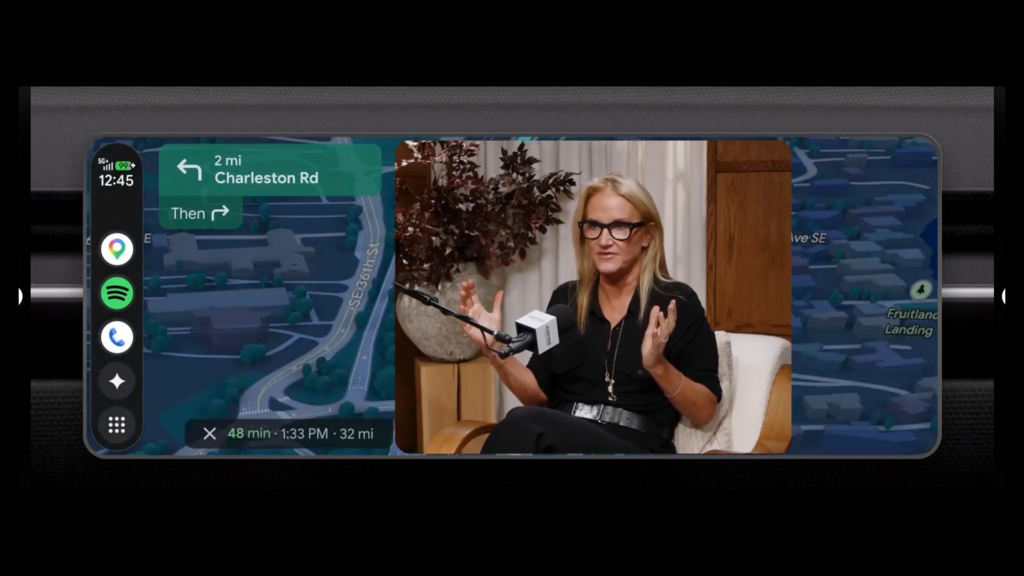
| Parked Entertainment | Audio streaming playback strictly limited | 60fps Full HD video streaming (YouTube app support) | Turn your car screen into a movie theater while parked |
Gemini Integration: The Ultimate Passenger Co-Pilot
The real magic of the Android Auto redesign happens behind the scenes through the integration of Gemini AI. The voice assistant is no longer just a basic tool for repeating calendar entries or executing strict, rigid voice commands.
Proactive Assistance (Magic Queue)
Gemini is now fully context-aware. For example, if a friend texts you a dinner address while you are navigating home from work, Gemini’s Magic Cue instantly recognizes the incoming data. Rather than forcing you to copy and paste the text manually, a clean prompt appears on screen asking if you would like to automatically reroute to the new location.
Third-Party Voice Execution
The voice AI integrates deeply with external apps to help you get things done on the go. You can now use natural voice commands to coordinate complex workflows—like initiating a food delivery order via DoorDash—completely hands-free while maintaining focus on the road ahead.
Parked Entertainment: YouTube and Dolby Atmos Support
Google is also acknowledging that modern cars are essentially mobile living spaces—especially when waiting at an EV charging station or sitting in a parked vehicle.
1.Shift the Vehicle into Park:Safety Prerequisite.
Bring your vehicle to a complete stop and safely engage the electronic parking brake or shift your transmission into Park.
2.Open the Native YouTube Application:Media Launch.
Tap the updated app drawer and launch the native YouTube client. Select your desired video to enjoy crisp, 60fps Full HD playback on your car’s main display.
3.Experience Spatial Dolby Atmos Sound:Immersive Audio.
The update leverages premium car speaker systems to deliver fully immersive, spatial audio across compatible tracks and vehicle models.
4.Shift into Drive for Safe Audio Parity:Driving Transition.
The moment you shift back into Drive, the video feed cuts out instantly for safety. However, the system seamlessly transitions to background audio-only mode so you can continue listening to your video podcast without interruption.
Vehicle Compatibility Note: The premium FHD video streaming capabilities and Dolby Atmos spatial audio frameworks are rolling out initially to compatible models from leading automotive brands, including BMW, Ford, Genesis, Hyundai, Kia, Mercedes-Benz, Volvo, Tata, and Mahindra.