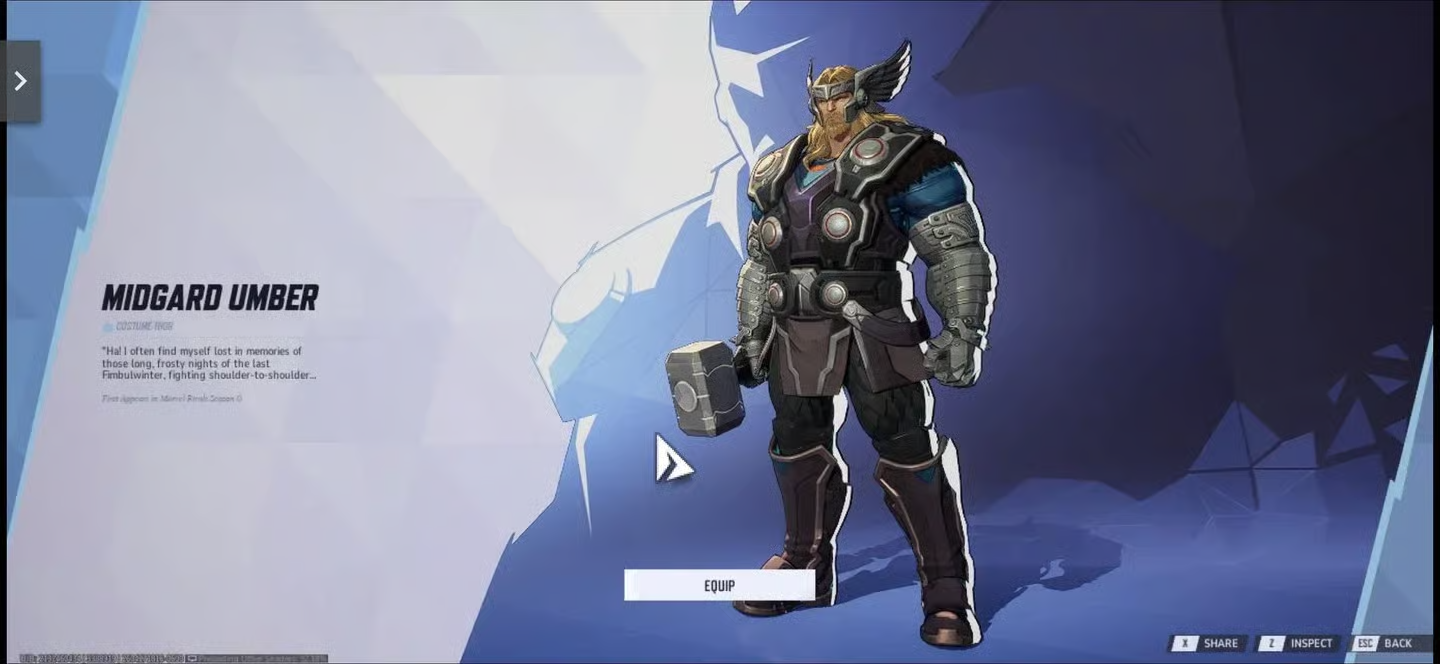
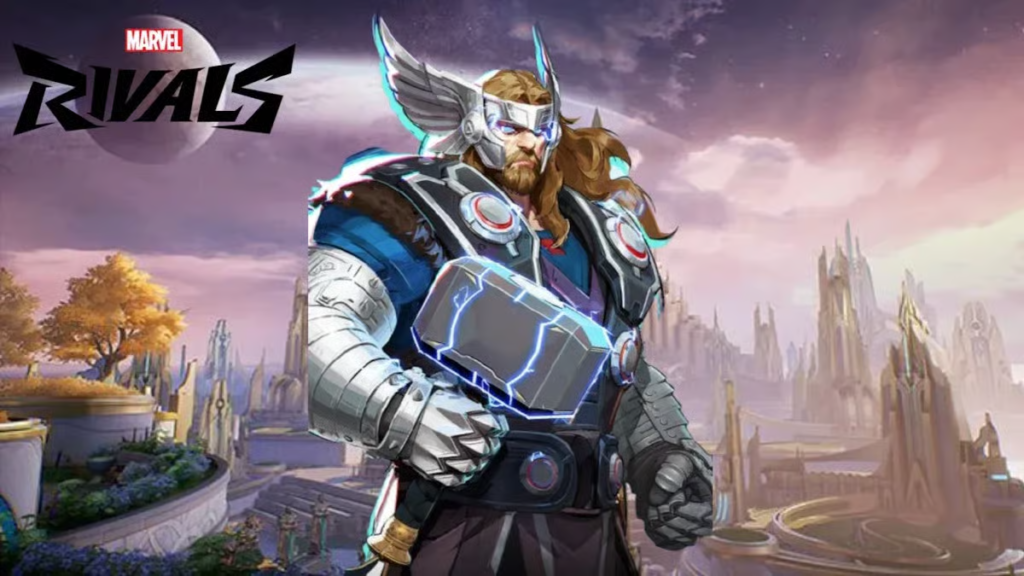
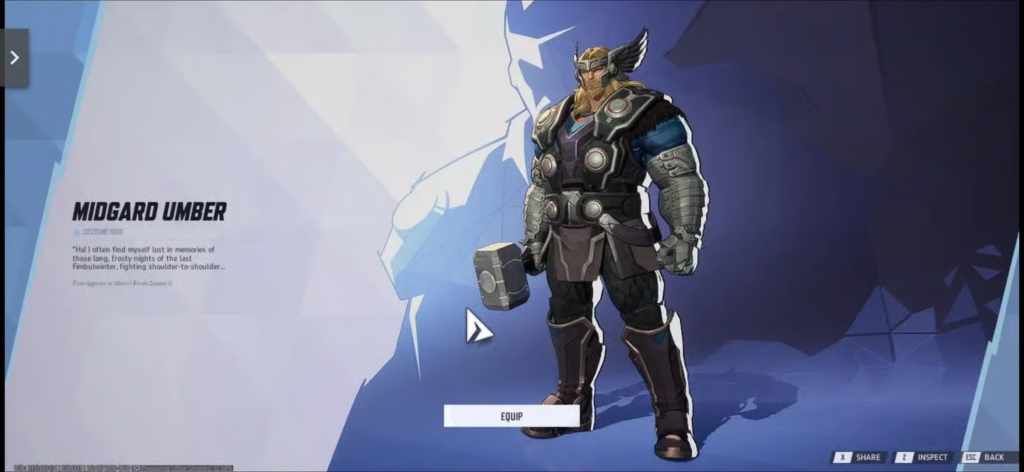
NetEase is keeping the cosmetic hype alive in its popular superhero team shooter by dropping a striking new recolor variant for the God of Thunder. The exclusive Marvel Rivals free Thor Midgard Umber skin is currently up for grabs, allowing players to upgrade their roster aesthetics without spending a single credit.
However, unlike standard seasonal drops or battle pass unlocks that appear automatically in your inventory, claiming this dark, metallic earth-toned outfit requires an external activation process. Distributed exclusively through the Nvidia GeForce Rewards framework, players must generate a secure, single-use bundle code before transferring it into the live game platform.
The Nvidia GeForce Reward Promotion Overview
This special promotional crossover rewards the active gaming community using specific PC graphics setups. Because the drop utilizes an inventory system with finite code pools, players should act quickly before allocations are fully depleted by the player base.
Essential Eligibility Rules
Before jumping into the redemption phases, ensure your system profile fits the official technical parameters:
- Hardware Tier Requirement: Your gaming desktop or laptop must be running a valid Nvidia GeForce GTX 10-series graphics card or a newer generation desktop processor.
- Account Standing: A registered Nvidia developer or consumer account is mandatory to view the premium dashboard.
- Platform Freedom: While the redemption key must be originally generated using a PC application interface, the resulting alphanumeric code can be redeemed across any active platform profile—including PlayStation 5, Xbox Series X/S, and Steam clients.
Dual-Stage Redemption Protocol: Claim Process
Securing the Marvel Rivals free Thor Midgard Umber skin is split into two mandatory steps. Skipping either phase will cause your account to miss out on the reward window.
Phase 1: Generating Your Nvidia Reward Key
The baseline steps below outline how to extract your alphanumeric key directly from the manufacturer interface:
1.Initialize the Nvidia App:Prerequisite Phase.
Open the official web portal to download and install the latest unified Nvidia App client. If you are already running older GeForce Experience variations, upgrading ensures the modern rewards tier displays correctly.
2.Authenticate Your Profile:Account Setup.
Launch the desktop app wrapper and log in using your active credentials. New users can create a free profile on the spot to continue.
3.Locate the Redemption Tab:Navigation.
Click on your account profile dropdown or select the dedicated Redeem option positioned on the left-side navigation sidebar.
4.Generate the Alphanumeric String:Code Extraction.
Find the active promotional panel highlighting the God of Thunder’s new cosmetic reward. Click the green claim prompt; the window will refresh to show a unique, multi-digit alphanumeric string. Copy this text string directly to your system clipboard.
Phase 2: Activating Your Skin In-Game
Once your exclusive bundle text is saved, you need to input it into NetEase’s active game server layout:
| Interface Step | Controller / Keyboard Action | Menu Location | Expected Visual Confirmation |
|---|---|---|---|
| Step 1 | Boot up the game launcher | Main Hub Dashboard | Character lobby screen populates |
| Step 2 | Select the gear icon | Top-Right Corner Interface | System option tray shifts open |
| Step 3 | Click the Bundle Code box | Options Sub-Menu | Blank text submission block appears |
| Step 4 | Paste key and click Use | System Confirm Action | “Reward Redeemed Successfully” alert |
⚠️ Important Reminder: Ensure there are no accidental spaces at the beginning or end of your text string when pasting. The security verification server will reject inputs containing extra whitespace formatting.
In-Game Customization and Extra Free Rewards
Once you receive the confirmation popup, you can head straight over to the Hero Gallery tab from the main hub. Scroll down to your Tank roster selection, highlight Thor, and enter his appearance submenu. The Midgard Umber cosmetic option will show as unlocked, allowing you to instantly equip his dark armor variant alongside Mjolnir and Stormbreaker before queueing up for matches.
Other Active Free Events
If you want to pack your profile inventory with even more free cosmetics this week, make sure to check out these active limited-time options alongside your new Nvidia reward:
- Savage Adventure Path: Keep pushing through daily match goals to claim the free Ultron Cybernetic Drip skin waiting at Tier 12 of the event pass.
- Devil Dino Event: Complete the “Hide and Seek” challenges to collect free localized nameplates, profile sprays, and comic art gallery cards.
- Path to Doomsday Tracking: Ensure you claim your 100 free base Units and the exclusive Avengers 2012 commemorative gallery backdrop before the closing server reset.
Marvel Rivals Thor Midgard Umber Skin Guide
This gameplay guide walks through the exact menu buttons to click within the desktop application to fetch your unique reward string safely.